Showing posts with label Instagram. Show all posts

Sunday, July 5, 2026

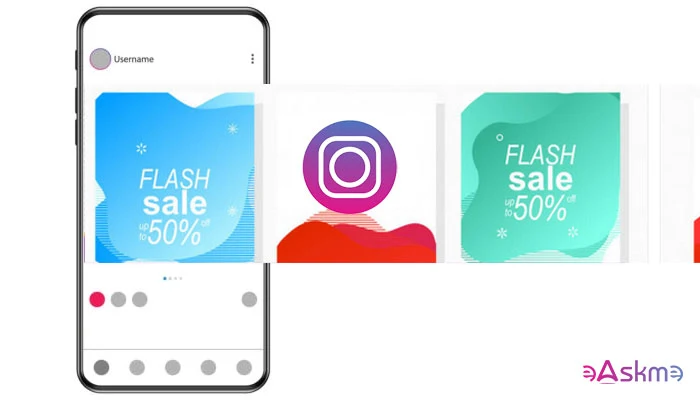
How to Create Engaging Instagram Carousel Posts?

Do you want to create Instagram Carousel Posts? If yes, today, you will learn effective tips to create engaging Carousel Posts.

Instagram carousel posts were one of the biggest Instagram updates of 2021. Now, Instagram is not only a photo-sharing app.


How to Create Engaging Instagram Carousel Posts?: eAskme

You can create Instagram Reels, Posts stories, share shopping experiences, etc.

But Instagram is nothing without images. So when you share photos on Instagram, you need to ensure that your posts gain engagement.

Thanks to Instagram Carousel Posts, you can create engaging content.

Instagram carousels are already proved as the best content strategy on the platform.

Here is everything you need to know.

What is Instagram Carousel Post?

Instagram carousels are like carousel ads that you see on Facebook. You can place upto 10 photos or images in the Instagram carousel.

The user will see the first photo for the first time, but he will see the next if he does not engage with the post.

Instagram Carousel posts help eCommerce websites and help blogs, social media sites, marketers, and every type of business to reach a wider audience and boost their online engagement.

Here are a few easy things that you must do to make your Instagram Carousels engaging.

Follow Basic Content and Copy Principles:

Instagram Carousel is a content strategy.

Share the idea of the articles and later club them into one carousel post.

Understand your target audience and talk directly to gain a real picture.

Your Instagram Carousel post will entertain each person differently yet make them connect with the same brand.

To get better results, always use high-quality images that capture the interest of your target audience.

Scroll Topper:

The first image should be a scroll topper.

The role of your first image is to make sure that visitors will click on that and rest the work your Carousel will handle.

You can use 10 high-quality target images. However, do not use too much-written content in images.

Compel the audience to Swipe Through Carousel:

Your Instagram Carousel should make the visitor scroll to the end of the content.

Th best way to make your Carousel conversational is by adding prompts and asking questions.

You can write something like “Swipe through for more!”

It will add curiosity to your visitors and make them reach the end of the carousel post.

Use visual signals to direct the visitor to the last image.

Uniqueness:

Make sure each slide is unique but connected to the main goal.

For example, you can use different images that display one step in each photo to launch a new blog.

You do not know which image the user will see for the first time. He may be looking at the third or even the last image of your Carousel.

Use standalone images to help the visitor understand the main topic of the Instagram carousel.

Bind them together:

You can use standalone images, but you also do not want to direct visitors to different directions with each image.

Each image must feel like a part of a web series.

You can do it by:

  • Using similar fonts and colors
  • Use presets, filters, and styles.
  • Feature-related products or services.
  • Use watermark or title.
  • Use a similar template.

This will help you improve branding on Instagram.

Do not overburn your Instagram Carousel Images:

When adding images to your Instagram Carousel, make sure that you should not put too much information in one image.

Each image should tell one part of the story, not the whole.

Do not populate your images with written words.

Accessibility:

When adding images, do not ignore the disabled users.

Use alt text and image description in images.

Conclusion:

Your Instagram carousel should make the user keep swiping till the last image.

People should share Instagram carousels, like them and comment on them.

The conversation is important.

And, you know how you can make it happen.

Still have any question, do share via comments.

Share this post with your friends and family.

Don't forget to join the eAskme newsletter to stay tuned with us.

Other handpicked guides for you;

Friday, July 3, 2026

Instagram Broadcast Channels Guide! Don't miss it!

Instagram has updated Broadcast Channels with new features. It is one of the most popular features for content creators to engage with their audience.

Users are sending 1.5 billion messages on Instagram Broadcast Channels.

In the beginning, followers were only allowed to like or react to the messages.

With a new update, Instagram has launched replies, prompts, and insights features in Broadcast Channels. New features will help creators to understand the content performance and engage better with the audience.

Today, I am explaining everything about the Instagram Broadcast Channels and their features.

Instagram Broadcast Channels: eAskme

Instagram Broadcast Channels:

Instagram introduced “Broadcast Channels” in February 2023. Its original purpose was to send the creator's messages to all followers.

It is a one-to-many messaging tool for content creators. Only the creator was allowed to send messages.

Followers were reacting to the messages.

How to Create an Instagram Broadcast Channel?

  • Go to Instagram and login.
  • Go to “Instagram DMs.”
  • Click on the “pen and pad” emoji.
  • Click on “Create Broadcast Channel.”
  • Type the name of your broadcast channel.
  • Choose the audience for your channel.
  • Click on “Create Broadcast Channel.”

Now, you have successfully created your broadcast channel.

What are the Benefits of Broadcast Channels?

Broadcast channels are popular among creators. It has the following benefits.

Direct Engagement:

Broadcast Channels are a direct way to engage with your Instagram followers. You can send updates about the upcoming Instagram event or special deals.

Announcements:

Broadcast channels are best at making announcements. If you are launching a new product or reviewing a viral video or service in the coming days, then make the announcement on Instagram.

You can announce the day and the thing you will do. You can travel to a new place, surprise a follower, or even reach a landmark.

Your broadcast channel will send a direct message to your followers about the announcement.

Collect Feedback:

You want to grow your Instagram account, then start collecting feedback.

  • Create polls and ask your followers to vote.
  • Ask followers about what is most appealing to them on your channel.
  • What type of content do they like the most?
  • Which places do they want you to visit?

Collaboration:

You can collaborate with other influencers and ask them to join your broadcast channel. It is an easy way to share access to your audience without leaving your control.

Collaborators can send messages to your audience.

Build Community:

Broadcast channels are a great way to build community. You can send messages and get replies. The new Broadcast Channels feature allows followers to send replies and use prompts.

This way, it is becoming a place for community where you directly engage with your audience.

It is also important for a marketer to engage with the audience to understand them better.

How to Increase Engagement in Your Broadcast Channel?

Make some noise:

Do not limit your broadcast channel to text messages only. Use voice notes. Followers prefer voice over text. This will add a trust factor to your broadcast channel.

Create Multiple Channels:

Create different broadcast channels for different topics. For example, do not post health topics in SEO-related broadcast channels.

Make it niche relevant.

Share Multiple Content Formats:

Social media is the place where multiple content formats perform better than a single format. Share photos, polls, links, resources, etc.

Give more reasons to your audience to engage with your messages.

Announce product launch or event:

Announce the upcoming product launch or event. For example, if you are going to an auto show, make the announcement. Your followers will love to connect when you go live on Instagram during the event.

How to Invite Others to Join Your Instagram Broadcast Channel?

  1. Share the invite link to your broadcast channel.
  2. Add your channel to an Instagram story and let users join.
  3. Share the broadcast channel QR code.

These are the 3 easiest ways to let others join your broadcast channel on Instagram.

What are the new features on broadcast channels?

Instagram launched 3 new features:

  1. Replies
  2. Prompts
  3. Insights and Best Practices

Replies:

Replies play a crucial role as they make followers able to send replies. Before this feature, followers were not able to send text messages on the broadcast channel.

You can turn on or turn off the replies.

Prompts:

Prompts are the easiest way to start a conversation. Use suggested prompts and see how your followers react to it.

Your prompt response is displayed on your main channel.

Insights and Best Practices:

Insights help you find out the channel and content performance over the last 30 days. You can check the number of interactions made.

Now, you can set channel goals like:

  • Increase Engagement
  • Drive Participation
  • Maximize Growth

Based on these goals, it will suggest recommended actions.

Conclusion:

Instagram broadcast channels are there to help you boost engagement with your followers.

With new features, followers can now reply to your messages.

Check insights to learn the content performance. Use this data to optimize your Instagram growth strategies.

Instagram Broadcast Channels FAQs:

Who is eligible for an Instagram broadcast channel?

A creator with 10,000 followers can start a broadcast channel.

Can I see who joined my broadcast channel on Instagram?

Yes. At the bottom of your broadcast channel, you can see the list of people who have joined your channel.

Other Helpful Resources:

Saturday, May 9, 2026

Instagram Turned off End-to-end Encryption for Direct Messages

On May 8, 2026, Instagram turned off end‑to‑end encryption (E2EE) on private messages. It means that now your messages are not encrypted. It is now using standard privacy, where Instagram can access your voice, text, and photo messages.

This shift of privacy tech has been seen as Meta’s U-turn to encrypt messages. Earlier, it was the golden standard to encrypt user chat for security.

Instagram Turned Off end-to-end Encryption for Direct Messages: eAskme

Other people are reading: InSnoop Instagram Story Viewer

Instagram Turned Off Encryption for Direct Messages

E2EE has been the most talked about and secure technology for online messages. It allowed senders and recipients to view messages. But campaigners stopped getting access to your messages. Without including authorities, there was no way to access user chats.

While children’s charity groups welcome this change, the privacy advocates condemn this U-turn.

In 2019, Meta pledged to keep the messages secure using end-to-end encryption. In 2023, the company rolled out privacy features on Facebook Messenger with the hope of rolling out features on Instagram.

After 7 years, Instagram has been back on standard encryption.

Instagram Standard Encryption:

Instagram standard encryption allows internet service providers access to private messages. It is also a common security feature in popular platforms like Gmail.

Child protection groups welcome this change. NSPCC also welcomes the change, citing that standard security protects children.

Rani Govender said that E2EE allows perpetrators to evade detection and abuse children.
Privacy campaigns opposed this change. 

Maya Thomas from Big Brother Watch said that E2EE was the key to protecting children’s data.

End‑to‑End Encryption Years:

For Meta, end-to-end encryption triggered fight and criticism from multiple groups. In March, Meta announced that May 8, 2026, will be the end of E2EE encryption on Instagram messages.

The company also gave users the option to download their chats and media. If you are still using an old Instagram app, then you must update it before downloading your content.

Meta announced that very few people were using end-to-end encryption. This is the only reason why the company has decided to stop it.

Victoria Baines from Gresham College believes that the recent change reflects Meta’s policy change to encrypt messages.

Social media platforms use our conversations to monetize their ads. Meta is already using Training AI data from its employees, even though Instagram claimed that messages would not be used in training data.

Meta is Collecting Training Data:

Meta told employees that it is using clicks and activity data on their devices to use as training data for AI models.

Big Brother Watch opposed this decision, citing that it will influence the wider social media industry change.

E2EE is a popular way:

  • E2EE is the default on apps like WhatsApp, Facebook Messenger, Google Messages, Signal, and iMessages.
  • Telegram has made E2EE optional.
  • X also uses similar technology to encrypt messages.
  • Snapchat uses E2EE for direct messages.
  • Discord is still in the planning phase to roll out E2EE.

TikTok is the company that already opposed the use of E2EE in direct messages.

Conclusion:

Instagram ended end-to-end encryption on direct messages. It is now using the default standard encryption. It allows internet service providers to access your content with the authorities.

Other helpful articles:

Thursday, April 2, 2026

InSnoop Instagram Story Viewer: Review and 10 Alternatives

InSnoop is an anonymous Instagram story viewer. It helps marketers and researchers to access Instagram content such as stories, reels, photos, and videos to plan marketing strategies. Social media marketers often use platforms like InSnoop to analyze competitors’ Instagram marketing strategies.

In reality, InSnoop not only helps marketers but also common users to access IG stories anonymously. Most users who do not have an Insta account and still want to access reels, photos, videos, and stories are using InSnoop.

InSnoop Instagram Story Viewer Review: eAskme

Other people are reading: What Makes An Instagram Profile Look Established?

 If you have never used a free InSnoop before, then you may have questions like

  • What is InSnoop?
  • How does InSnoop work?
  • How to use InSnoop Instagram Viewer?
  • What are the features and benefits?
  • Who should use InSnoop?
  • What are the InSnoop alternatives?

In this InSnoop guide, I will review everything about this Instagram marketing tool.

InSnoop Review:

InSnoop was launched on February 2, 2024. In just two years, it became a popular Instagram anonymous viewer. It is a free browser-based web application. You can use it to access stories, photos, reels, DPs, and IG accounts.

InSnoop is a third-party tool. It is not the official Meta or Instagram product. There is no affiliation or endorsement from Instagram or Meta. It still works as a free anonymous viewer, which is publicly available to view profiles and content.

The InSnoop website boasts of unlocking content from Instagram profiles without login or subscription. It only requires a username or a URL to access IG content or stories.

How Does InSnoop Work?

InSnoop works like many other free anonymous Instagram viewers and analyzers. While the platform does not provide transparent information about its operations, here is what I found when I investigated the InSnoop platform.

Go to InSnoop Website:

Choose between InSnoop com or InSnoop IO. Both domains represent the InSnoop website and work similarly. There is no need to download any software or app.

Enter Username or URL:

In this step, the user enters the Instagram username or URL in the search bar to access the content.

Click Search:

“Search” button triggers the web application to work and unlock Instagram reels, posts, and videos on the homepage.

View or Download:

InSnoop gives users options to choose between view or download. You can not only view IG content but also download stories, photos, and reels.

InSnoop lets users download photos in JPEG format and videos in MP4 format. It does not require a login or Instagram App access.

While the platform claims to keep the user anonymous, many users complained that the whole anonymity thing does not work 100%.

InSnoop Features:

As a free Instagram viewer, InSnoop offers features that help users view IG content without logging in.

Here are the notable features of InSnoop:

  • Anonymous Story Viewer: InSnoop is known as the anonymous Instagram story viewer. The platform claims that it will not use user information, such as username, on the viewer’s list. It can be possible because the platform does not ask for an IG login. A user reported on Reddit that his name is still displayed in the viewer’s list even after using InSnoop.
  • No Login: InSnoop does not require an Instagram account login and password. It only asks for the account URL to unlock content.
  • Free: It is a completely free tool to access Instagram stories.
  • No App: There is no official InSnoop app. You can only use the website to access online content.
  • Highlight Support: InSnoop claims that it offers support for stories and highlights. But this changes according to the user experience.
  • Download Feature: You can download photos and stories in JPEG and MP4 formats.
  • Accessibility: InSnoop is accessible worldwide on every smart device with an internet connection.

Who Uses InSnoop and Why?

Thousands of users use InSnoop every month.

Here are the types of users and why they access InSnoop:

Curiosity and personal relationships:

A lot of InSnoop users use the platform just out of curiosity. They want to know how the platform works and which type of IG content is accessible through InSnoop.

Marketers, friends, social media strategists and distant family members can use this tool.

Non-Instagram users:

Users who do not have access to Instagram or do not want to create an IG account can use InSnoop to access content online. It helps the massive user base without an Instagram account.

Privacy-conscious:

Users who do not want to reveal their identity are using platforms like InSnoop. It also stops sharing the information about your viewer preferences with Instagram.

Parental Control:

The platform itself does not provide parental control features. Yet it helps parents track the content children are sharing.

Marketers and business researchers:

Digital marketers, social media planners, and brand strategists are using InSnoop to analyze popular trends and competitors’ behavior.

People who have been blocked:

Users who are blocked on Instagram are using tools like InSnoop to view IG stories, DPs, photos, and reels.

Real User Experiences:

Many users shared their InSnoop experiences on multiple social media and UGC platforms.

On Reddit, many users shared their experiences. InSnoop received mixed reviews. Many users called the platform satisfactory, while some users complained about the authenticity.

Some users reported technical problems, such as server failure. Even after entering the username, sometimes InSnoop fails to load content. It also fails to unlock private Instagram profiles.

Is InSnoop Safe?

InScoop Claims:

InScoop calls itself a safe platform with SSL certificate and lack of login requirements. It does not ask for passwords or payment information.

ScamAdviser:

ScamAdviser reported that the tool is used to track social media performance of accounts. At the same time platform contains many red flags. There is no ownership information available on the platform. Some scammers may be running the platform from a high-risk geographic location.

Risk of malware:

Free IG story viewers often contain ads and scripts that can install malware and viruses. Many users face pop-ups, surveys, and malicious ads.

No accountability:

InScoop works behind the curtains. There is no information about the team behind the platform. The support structure is also broken.

Our verdict:

InSnoop is a low-risk platform that does not ask for your personal information. Yet the lack of transparency, risk of malware, and aggressive ads make the platform risky for users.

InSnoop Alternatives:

InSnoop is not the only free anonymous Instagram story viewer. There are hundreds of free and premium alternatives to InSnoop that are active online.

Here are the notable alternatives to InScoop:

1. StoriesIG:

StoriesIG is a popular platform for non-Instagram users. It gives users the ability to view Instagram stories, reels, photos, and even DPs. All you need to do is enter the URL or username of the account that you want to view.

It also offers high-quality downloads.

2. AnonyIG:

AnonyIG uses proxy-based technology to access IG account content. It uses multiple domains to offer similar services. It also works as an Instagram downloader.

3. Insacret:

Insacret is another free anonymous Instagram viewer. It works similar to InScoop. Users need to type the username or the URL of the account to get access to its content. It offers free download features.

4. Inflact:

Inflact is a premium Instagram viewer and social media marketing tool. It offers premium features to download Instagram stories, photos, reels, and videos.

5. Glassagram:

GlassaGram another premium Instagram story viewer and downloader. It offers multiple social media tools to download images and videos. You can download images in JPEG and videos in MP4 format.

It also offers cloud storage to save content online.

6. MollyGram:

MollyGram is also a free Instagram story viewer and downloader. As an InSnoop alternative, it offers multiple platforms to download images and videos. You can download IG content for free.

7. Picuki:

Picuki was a former IG story viewer. It once dominated the Instagram viewer niche. Now it works with a small alternative to InSnoop.

8. SnapInsta:

SnapInsta is another free Instagram downloader. It works as a free Instagram tool to download videos and photos. All you need is to paste the URL of the video and photos in the search bar.

9. FastDL:

FastDL is a free Instagram viewer and analyzer. It allows users to download Instagram content without creating an account. There is no need to login and subscription.

It offers a free Insta downloader and viewer.

10. StealthGram:

StealthGram unlocks access to videos, reels, and stories. It keeps the user anonymous.

You can use StealthGram without signup. You can search photos and profiles with hashtags.

How to Use InScoop Safely:

If you want to use InScoop for research and marketing purposes, then here are the tips to minimize the risk.

  • Only visit the official InScoop platform.
  • Use a privacy browser like Brave or incognito mode in Mozilla Firefox or Chrome.
  • Do not share personal information.
  • Use an updated antivirus.
  • Use an ad blocker to block malicious ads.
  • Use a VPN to protect your online identity.

Conclusion:

InScoop is one of the most popular Instagram viewer platforms. It offers a third-party ecosystem to display Instagram highlights, accounts, stories, reels, photos, and videos.

Marketers and Instagram enthusiasts use this tool to stay anonymous.

Yet, it is best not to rely on InScoop.

There are trust issues. The user experience is also flawed.

Choose the Instagram browsing alternatives like Inflact, Glassagram, MollyGram, PeekViewer, InstaLooker, Picuki, SnapInsta, and FastDL.

FAQs:

What is InSnoop?

InSnoop is a free Instagram story viewer to watch stories, reels, videos, and photos.

Is InSnoop an official Instagram or Meta tool?

No. It is a third-party platform.

When was InSnoop launched?

InSnoop was launched on February 2, 2024.

Do I need an Instagram account to use InSnoop?

No, you don’t need an Instagram account.

Can I download content using InSnoop?

Yes. You can download images in JPEG and videos in MP4 format.

Can InSnoop access private Instagram profiles?

No.

Who uses InSnoop?

Social media marketers, researchers, privacy-conscious users, parents monitoring content, and people without Instagram accounts use InSnoop.

What are the common issues with InSnoop?

Content not loading, Server errors, Inconsistent anonymity, and Inability to access some profiles are the most common issues.

Does InSnoop have a mobile app?

No.

What are the alternatives to InSnoop?

StoriesIG, Glassagram, Inflact, AnonyIG, Insacret, Picuki, SnapInsta, FastDL, and StealthGram are popular alternatives to InSnoop.

Other helpful articles:

Monday, March 30, 2026

What Makes An Instagram Profile Look Established?

Want to make your Instagram look professional, but you are not sure how to start?

In this guide, you will learn what makes an Instagram profile look established and how to fix it fast.

Many pages look strong and trusted because they use clear signs in their posts, look, and fans. These signs help new people feel good about your page right away.

By the end, you will know how to make your page look busy, safe, and worth following from the start.

What Makes An Instagram Profile Look Established: eAskme

Other people are reading: How to View a Private Instagram Account? Methods, Risks, and Alternatives

Key Factors That Make An Instagram Profile Look Established

A good page does not just happen. It shows clear signs that make people trust you fast and feel very safe to hit follow.

1. Optimized Bio And Profile Picture

A good page starts with a clear bio and a simple photo. These are the first things people see when they land on your page.

A nice face photo or logo helps people know it is you and remember your name.

Your bio should say what you do and what people will see in a short and easy way.

When this is easy to read, your page feels more real.

It also helps new fans feel safe. A clean setup shows you work hard and makes your page look professional from the first click.

2. Social Proof And Engagement

Social proof is a big sign that a page is professional. When people see likes, notes, shares, and new fans, they feel safe.

It shows that other people already like your posts. Talk and activity make your page look busy and real.

Having more followers also helps and makes new people feel good.

Many creators also choose to buy Instagram followers from GetAFollower to support visibility and make their profile look more established.

When you have both chat and followers, your page looks trusted and makes more new people want to follow you.

3. Cohesive Visual Grid

A neat grid makes your page look like you have a plan. When your posts use the same colors, looks, and shapes, everything fits together.

This helps people understand your work fast. A messy page can be confusing and make people go away.

But a clean and same look builds trust fast. It shows that you care about how your posts look.

This also helps get fans who like your style.

When your grid looks tidy and even, your page feels more pro, which makes people want to stay and see more.

4. Consistent High Value Content

Sharing good posts often is a big sign your page is busy and professional. Your posts should help, teach, or show something nice.

When people find your posts helpful, they will follow and talk to you. Posting a lot also shows your page is active and safe.

This builds trust as days go by.

A page that gives value keeps getting fans on its own. 

This is key on a site with so many people, where many look at Instagram usage insights, and where people see posts.

Clear posts make your page look solid and worth following.

5. Clear Niche Focus

A clear topic helps your page look smart and easy to get to.

When your posts follow one idea, people fast know what your page is for.

This makes your page feel neat and simple. It also helps you get the right fans who like your work.

A mix of random things can confuse people and lower trust.

But one topic shows you have a goal. In time, this builds a group of fans.

A focused page always looks more professional and helps people follow you without worry.

6. Active Community Management

A good page talks to its people.

Writing back to notes and chats shows you care about your fans. It also makes your page feel more human.

When people see you talk, they feel closer to your posts. This builds trust and keeps your group busy.

A page that writes back often feels alive and well-run.

Even short notes can help a lot.

This work shows your page is busy and helps it look more professional as time goes by.

7. Strategic Story Highlights

Highlights help make your page look full and easy to use.

They let you show your best stuff in one spot. You can add circles for reviews, work, or top posts.

This helps people see what you do fast. Neat highlights make your page look clean and ready.

When people find good info fast, they feel safe with you.

It also shows you care about your work. A page with highlights looks more professional and helps people trust your page.

8. Authentic Human Elements

Pages that feel real always build trust.

Showing your face or sharing real videos helps people know you better.

You do not need to be perfect all the time. Simple and real posts work best. When people see that you are a real person, they feel safe.

This helps you get closer to your fans. It also makes your page look special.

A page that feels real always looks more professional because people trust it more and stay around for a long time.

Conclusion

An Instagram page looks professional when it shows signs of trust and life.

A simple bio, good looks, helpful posts, and talking to fans all help. When your page looks neat and your fans grow, people feel safe to stay and follow you.

Many people also explore the best websites to buy Instagram followers, where GetAFollower is often considered for building visibility.

But growth over time comes from real posts and work. Focus on being clear and helpful to build a page that is strong.

FAQs

1. What makes an Instagram profile look established?

A clear bio, same-style posts, lots of chat, and more fans help a page look professional.

2. How important is engagement for credibility?

Is key. Likes, shares, and notes show people trust your work and follow your page.

3. Does posting regularly help build trust?

Yes, posting often keeps your page busy and helps you get fans in time.

4. Why is a niche important for Instagram growth?

One topic helps you find the right fans and makes your work easy to get.

5. Can highlights improve profile credibility?

Yes, highlights show your best work fast and help fans see what you are about.

Other helpful articles:

Wednesday, January 28, 2026

How to View a Private Instagram Account? Methods, Risks, and Alternatives

Instagram has 2 to 3 billion active monthly users. It is one of the most popular social media platforms for users, influencers, marketers, businesses, and celebrities. India, the USA, and Brazil are the top 3 countries with the maximum Instagram users. While it is a content-sharing platform, you may still find private accounts. These are the accounts of the users who do not want anyone else to see their posts, reels, stories, and profile details.

Before you try to access private IG accounts, you must understand the possibilities, risks, and what you must avoid.

Today, I am sharing the legitimate ways, limitations, scams, and alternatives to view private Instagram accounts.

How to View a Private Instagram Account? Legitimate Methods, Risks, and Safe Alternatives: eAskme

Other people are reading: Catturd Twitter: Who runs it, Why it goes viral, and FAQs

Note: Always respect Instagram’s privacy and terms of service.

Private Instagram Account:

The private Instagram account only allows approved followers to view stories, reels, and profile details.

Instagram users can choose to set their profile to “Private” in settings.

When a user set Instagram account to private:
  • Hides posts, reels, highlights, and stories from feed.
  • Only approved followers can view the content.
  • Profile photo, bio, username, and follower counts are still visible.
  • There is no official IG workaround.

Instagram uses technology that prevents unauthorized access. Never fall for any secret trick or Instagram loophole.

Many users still search for ways to view private Instagram accounts. The reasons can be curiosity, research, or verifying details.

While it is not easy to access private Instagram account content, there are things that you must understand.

Here are the Legitimate and Recommended Ways to Access a Private Instagram Account:

Send a Follow Request:

Sending a follow request is the best and safest way to ask for the right to view private IG content. It is easy to send the following request.

All you need to do is go to the private Instagram account and click on “Follow.” It will send the following request. The private account holder will check the request. It is the account admin’s choice to approve or disapprove the request.

If the Insta account admin approves your request, then you will be able to view content such as reels, posts, and highlights of the private Instagram account.

Tips to Increase Follow Request Acceptance Chances:

  • Use a real Instagram DP.
  • Add a clean bio about your profile, background, and content.
  • Avoid a spammy profile.
  • Patience is the key. Private account admins take time to check accounts before approving follow requests.

Create a Secondary Themed Account:

If you do not want to use your main account, then create a secondary or themed account. A Secondary Instagram account is an easy way to stay anonymous and still send a follow request.

After creating a secondary IG account, you must follow the same steps mentioned in the first tip to send a follow request.

Tips to Create a Legitimate Secondary Account:

  • Create an account afresh.
  • Add profile photo
  • Write a themed bio.
  • Posts genuine images, videos, and reels.
  • Avoid misleading names or impersonation.

Note: Do not use fake identities or AI photos.

Ask a Mutual Friend:

Look for a mutual friend. If you have a mutual friend with an approved follow request, then ask him to send you screenshots to show you the profile in person.

Finding a mutual friend may not be very easy, but it is effective.

Mutual connection can show you:

  • Private Instagram account in person.
  • Find out if the profile is genuine or not.
  • Recommend or introduce you to a private Instagram account admin.

Check Other Social Media Platforms:

Most of the Instagram account holders also have accounts on other social media platforms.

It is an easy way to follow them on other social media networks and check their content.

Instagram Users cross post content on:

  • Facebook: Facebook is the most common platform where Instagram influencers share their content.
  • X (Twitter): X is the platform where you can check accounts with opinion posts.
  • TikTok: Most of the Instagram content creators share similar content on TikTok. You can easily find them on TikTok.Pinterest: Pinterest is a great platform to find photos.
  • Threads: Threads relate to Instagram. Instagram users can share their content on threads with just one click.

Tips to Find Private Instagram Account Content on Other Social Platforms:

  • Login to any social media platform.
  • Search with the username or profile name.
  • You can find public accounts of the private IG profiles.

Wayback Machine:

Wayback Machine may display the archived posts, reels, and videos of Instagram accounts. But it will only work for the posts that were published publicly.

Google Search and Cached Pages:

You can use Google search and cached pages to find out accounts that were once public. Only the public content of private Instagram accounts may appear in search results.

Third-Party Instagram Private Viewers: What You Need to Know

Many websites claim to offer access to private Instagram accounts, including reels, videos, photos, and highlights.

These websites claim to offer:

  • Access to view private Instagram profiles.
  • Private Instagram viewer without follows requests
  • 100% working private account access.

Most of these tools only work as anonymous Instagram account viewers. They do not display content from private IG accounts.

The only reason they promote themselves as private Instagram viewers is to gain mentions, spammy offers, surveys, and collect data.

Note: Never share Instagram account details on third-party sites.

Popular Anonymous Instagram Viewers Alternatives:

GlassaGram:

GlassaGram promotes itself as the best private Instagram profile viewer, but it works as an anonymous IG viewer.

It is only helpful to view Instagram reels, stories, photos, and videos anonymously. It also offers social media courses to access IG content.

MollyGram:

MollyGram is one of the most popular platforms to view Instagram stories, reels, and accounts. It only works as an anonymous Instagram story viewer.

There is no option to view private Instagram accounts. It also offers a free Instagram downloader to download reels, photos, videos, and DPs.

PeekViewer:

PeekViewer is a login-based platform. It allows users to view Instagram accounts without sharing their IG profiles.

You can explore Insta profiles and their content without registration. PeekViwewer offer features like story viewer, Instagram downloader, and follower viewer.

InstaLooker:

InstaLooker also claims to be a private Instagram viewer. 

But it only allows access to public IG accounts. It is an easy-to-use platform to browse Instagram content anonymously.

You can only view public IG posts, reels, and videos.

Picuki:

Picuki is one of the popular IG viewers and analyzers. It is used to access public Insta content for marketing strategies.

Marketers use it to access the content of their competitors and prepare Instagram business strategies.

Inflact:

Similar to GlassaGram, Inflact is also a marketing tool for businesses.

It is a premium platform where users can access Instagram accounts, develop marketing strategies, and build followers. It also guides on how to sell on Instagram.

AnonyIG:

AnonyIG is also known as IGAnony. It works as an Instagram highlights and profile viewer.

It is a no-registration platform that lets users access IG reels and stories without sharing login information. All you need is a username of a public Instagram account to access its content.

Insta-stories-Viewer:

Insta-stories-Viewer is another platform to browse Instagram anonymously.

It displays Instagram stories, reels, videos, and photos. It is an anonymous Instagram viewer.

SnapInsta:

SnapInsta works as an Instagram downloader rather than a private IG viewer.

It allows you to download photos, reels, videos, stories, and DPs. It is a free platform with unlimited downloads.

StoryNavigation:

StoryNavigation is known for viewing Instagram stories. It does not unlock private Instagram stories.

You need an Instagram username or profile link to view public posts, reels, and photos. You cannot send a follow request from StoryNavigation.

Pixnoy:

Pixwox is rebranded as Pixnoy. It offers an anonymous Instagram viewer and downloader.

It also lists the most popular Instagram accounts. Its “Top Instagram” accounts section is popular. Pixnow listed the 100 most popular IG accounts.

Picnob:

Picnob is an anonymous Instagram story viewer.

The new website does not boast of displaying private IG accounts. It is the platform for users who want to watch stories, videos, reels, and photos anonymously.

FastDL:

FastDL is an anonymous Instagram downloader.

It is a popular platform to download Instagram content such as reels, stories, photos, and IGTV. It offers multiple Insta downloaders to download different features.

What Must You Avoid?

App Downloads:

Do not download any app claiming to unlock private Instagram account content. Such apps only spread spyware and adware.

Surveys:

Instagram does not ask for a survey to unlock Private account content. Spammy surveys only steal user information and push malware.

Conclusion:

Instagram users protect their privacy by setting account to “private.” A user cannot access private Instagram account content without approval.

The only ethical way to access a private Instagram account is to get permission from the account owner.

FAQs:

How to View a Private Instagram Account?

You cannot view private Insta accounts without permission. Send a follow request to get admin permission.

Can You View a Private Instagram Account Without Following?

No. Only approved followers can view Instagram content.

What are the Best Ways to Access a Private Instagram Profile?

Send a follow request, ask a mutual friend, or check other social media platforms.

Can Google Show Private Instagram Photos?

Only if the photos are made public by the Instagram account admin.

Other helpful articles:

Friday, December 19, 2025

Instagram SEO: How to Multiply Your Content Visibility?

The major focus of every business and individual on Instagram is to increase the number of followers.  Instagram SEO is helping users to boost engagement, reach, and discoverability.

By boosting these, you get more chances to increase the number of Instagram followers.

Instagram SEO: How to Multiply Your Content Visibility: eAskme

Other people are at: How Facebook Ads Work: Everything that You Must Know

More followers mean more engagement, and more engagement means more sales.

Instagram SEO is about optimizing your content and profile on Instagram.

Today, I am sharing how you can optimize your Instagram account and content to get free Instagram followers, and free Instagram likes.

Optimize Instagram Profile with Instagram SEO:

According to Instagram, the account also works as a ranking factor in Instagram search.

Your likes play an important role in determining the relevancy of your content.

Optimize following:

Name and Username:

Use the most important keyword in username and name on your Instagram account.

This will improve the chances of displaying your profile more in relevant search results.

Bio:

Instagram Bio also plays an important role in boosting your profile.

Use keywords in your Instagram profile to make it discoverable so that you can get free Instagram likes.

Optimize Captions:

Write descriptive captions by using keywords.

You should not only use hashtags and location tags but also make the content descriptive. Instagram also shows recommendations based on interactions and interests.

Use descriptive captions with relevant keywords to boost your reach on Instagram.

Use Hashtags:

On Instagram, hashtags work as keywords.

Users can use hashtags to find relevant content and profile on Instagram.

Tagging your posts with relevant hashtags improves reach and helps you gain Instagram followers free.

When using hashtags, don’t overdo it. Only use hashtag density that looks natural with your posts.

Also, learn the best time to post on social media channels.

Alt-Text:

Do you use Alt text on Instagram?

Instagram allows the users to add all text with each photo they upload.

Make your alt tag descriptive.

Instagram algorithm use alt tags to understand what the image is all about.

To enable alt text for your Instagram photos, you need to;

  • Go to Advanced settings.
  • Click on “Write alt text.”
  • Write alt text to describe your photo.
  • Click on “Save.”

Tagging:

Getting tagged will help you boost reach and discoverability on Instagram.

Encourage people to tag you in their posts. Also, tag others in your posts.

You can run giveaways to make people tag you in more posts.

Optimize:

Track the impact of your SEO strategies.

After optimizing your Instagram account, it is necessary to track what is happening.

It will help you understand if your SEO efforts are heading your Instagram account in the right direction.

If you have a creator profile or business account on Instagram, then you can access comprehensive analytics.

Conclusion:

You will see a massive difference between optimized Instagram profiles and profiles without optimization.

Instagram SEO helps you boost discoverability, reach, followers and engagement.

You have questions? Share via comments.

Find this post helpful, don’t forget to share it!

Other Helpful Business Guides for you;

Don't forget to like us FB and join the eAskme newsletter to stay tuned with us.

Wednesday, December 17, 2025

StealthGram Review: Is it safe? How does it work? Alternatives and Complete Guide!

StealthGram is a free anonymous story viewer and downloader. It works as a web-based tool to watch Instagram posts, reels, and stories. It makes anonymous social media browsing possible.

With StealthGram, you access Instagram content without leaving your privacy. You do not reveal your location and other information to Instagram. It is an easy-to-use, free Instagram browsing platform to access content without registration.

Social media marketers can use StealthGram to analyze the content shared by your competitors to track performance. Then replicate the same content strategy to grow your brand presence on social media platforms like Instagram.

StealthGram Review Is it safe How it works Alternatives and Complete Guide!

If you have never used an anonymous Instagram viewer or downloader before, then you may have the following questions:

  • What is StealthGram?
  • How does StealthGram work?
  • How to use StealthGram?
  • What are the features and benefits?
  • Who should use StealthGram?

In this StealthGram guide, I will review everything about the Instagram browsing tool.

StealthGram Review:

StealthGram is a free online Instagram viewer and analyzer to target social media marketing. It keeps you anonymous while unlocking access to Instagram stories, reels, and videos.

The anonymous Instagram browsing and monitoring make StealthGram a popular social media platform for users.

StealthGram does not ask for login or signup. You can access all of its features without registration.
It unlocks access to hashtags, reels, videos, stories, and private Instagram accounts to discover social media content strategy.

How Does StealthGram Work?

StealthGram is an Instagram social media marketing web app.

StealthGram has not released any app for Android or iOS devices. You can only access the official StealthGram website on your smartphone, desktop, or laptop browsers.

With StealthGram you can track the content strategy of your competitor including IG stories, reels, highlights, photos, videos, and IGTV.

You can also download private IG stories, videos, and photos.

StealthGram offers free unlimited IG downloads at zero cost. You get login-free access to analyze content performance and build a marketing strategy for Instagram.

StealthGram Content Types:

StealthGram supports multiple Instagram content types.

  • Reels: With StealthGram search, you can download Instagram Reels without logging in.
  • Stories: Unlocks unlimited Instagram stories.
  • Highlights: Check Instagram profile highlights with hashtags.
  • Photos: Analyze the photos shared on your competitors' Instagram accounts.
  • Videos: Watch unlimited Instagram videos for free.
  • IGTV: Download IGTV content.
  • Profile Photos: Download private Instagram account profile photos.

StealthGram supports photos and video downloads in .mp4, .jpg, and .webm.

How to Access Private Instagram Accounts Anonymously with StealthGram:

StealthGram users download Instagram account DPs, photos, reels, and stories without registration. You cannot get access to private accounts.

Does StealthGram Provide Access to Private Instagram Accounts?

No. The StealthGram algorithm does not unlock access to private IG accounts. You must follow the private account on Instagram to access its content.

StealthGram Anonymous Browsing:

StealthGram is known for its anonymous browsing and downloading features. You do not need an Insta account to access IG content.

It is best for marketers and bloggers who want to check what type of content performs better on Instagram to build business.

However, StealthGram allows anonymous access to Instagram reels, videos, and photos without sharing your IP address and cookies.

Is It Safe to Use StealthGram?

StealthGram does not share privacy documents. But it is safe from ads, phishing, and malware attacks.

How to Use StealthGram Safely?

  • Go to the StealthGram official website.
  • Enter an Instagram username or post link in the StealthGram search box.
  • Hit enter.
  • Watch or download Insta photos, videos, and stories.
  • Click on the download button to save the photo or video.

Benefits of StealthGram Instagram Viewer:

StealthGram is a free anonymous Instagram viewer. Track social media accounts of your competitors.

Here are the benefits of StealthGram:

Anonymous Instagram Browsing:

StealthGram lets you browse and download Insta reels, photos, and stories without logging in. It gives free Instagram content access. Users stay anonymous and get access to IG content.

Accessibility:

StealthGram is accessible on all smart devices with an internet connection. It is accessible globally.

User experience:

StealthGram is a user-friendly platform. You get an easy-to-use interface with responsive navigation. The StealthGram search feature is accessible on the homepage.

Privacy:

StealthGram does not ask for login information. It protects user privacy and offers anonymous Instagram browsing.

Apps:

StealthGram is only available as a website or web app. You do not need any Android or iOS app for Instagram anonymous browsing.

Features of StealthGram:

StealthGram allows users to access Instagram content and stay anonymous. Here are the notable features of StealthGram.

Instagram Story Viewer:

It is a free anonymous Instagram stories viewer. Watch Instagram accounts anonymously.

Instagram Video Download:

With StealthGram, you can download Instagram videos and reels for free.

Access IG Profile Pictures:

StealthGram unlocks Instagram profile photos. You can download Insta DPs in HD.

StealthGram Pros and Cons:

Here are the pros and cons of StealthGram:

Pros:

  • Encrypted connection
  • Zero Cost
  • Free anonymous Instagram browsing.
  • Free IG downloads
  • Free Instagram Story Viewer

Cons:

  • No app.
  • No transparency.
  • Third-party access.
  • Ads.

StealthGram Alternatives:

StealthGram is one of the many anonymous Instagram viewers and downloaders.

Here are the 12 notable alternatives to StealthGram:

Picuki:

Picuki is one of the famous alternatives to StealthGram. It is also one of the oldest platforms for anonymous browsing.

It is a user-friendly platform that offers features similar to StealthGram.

Picuki uses the search feature to unlock Insta videos, reels, and photos.

Instastories:

Instastories is another anonymous Instagram story viewer and downloader. It works as an alternative to StealthGram. With Instastories you can watch or download Instagram stories for free.

You can not only access IG stories but also download reels, photos, and videos.

IGLookup:

IGLookup is an old website platform to access StealthGram stories. It allows users to download Instagram stories, reels, IGTV, profiles, and photos.

IGLookup does not provide access to private Insta accounts.

GlassaGram:

Glassagram is a paid yet user-friendly Instagram browsing platform. It offers cloud storage and unlimited downloads.

You can use it to analyze the performance of popular Instagram posts.

Inflact:

Inflact is a premium StealthGram alternative. It works as an anonymous Instagram photos and stories viewer.

You can also use it to download unlimited content from public Instagram profiles.

It is an ideal platform to Instagram research.

Pixwox:

Pixwox is as old as Picuki. It is another alternative to StealthGram. It is a free Instagram DP viewer and downloader.

You can view IG profile photos, reels, and stories. It allows users to search IG accounts using usernames, URLs, and hashtags.

Gramhir:

Gramhir is similar to StealthGram. It uses free search technology to anonymously browse Instagram.

With StealthGram, you can analyze Instagram profiles without registration. It is a free platform to track your competitor’s accounts.

Gramho:

Gramhor is like StealthGram and Gramhir. It uses the same technology to ensure anonymous Instagram browsing.

With Gramho, users can browse IG reels, photos, and videos. It can also download Instagram content without registration.

SnapInsta:

SnapInsta users can quickly browse and download Insta profiles and content without logging in.

It is a free IG platform to watch videos, shorts, photos, and reels.

Picnob:

Picnob is similar to StealthGram. It makes Insta content available for non-Instagram users.

All you need is to type the Instagram profile URL in the search bar to unlock access.

InstaNomino:

InstaNomino is a free StealthGram alternative to watch and download Instagram content. You can use it for anonymous IG content research. 

You can track viral Instagram trends and hashtags to optimize your marketing tactics.

MollyGram:

MollyGram is a free StealthGram alternative. It works as an anonymous story viewer and downloader. You can access it on a smartphone, desktop, or laptop.

It is a free platform to watch reels, videos, and stories anonymously. 

Conclusion:

StealthGram story viewer is a free platform. It does not ask for registration. Users get unlimited access to Instagram content without registration.

You do not get access to private accounts. Use it responsibly.

It is a free tool to download Instagram stories, reels, photos, and videos.

FAQs:

What is StealthGram?

StealthGram is a free anonymous Instagram story viewer and downloader.

Who should use StealthGram?

Marketers, influencers, and researchers use StealthGram to track their competitors.

Is StealthGram Safe?

Yes. It does not ask for login or sign-up.

How to Download the StealthGram App?

The StealthGram Android app is not available.

Does StealthGram show that the story was viewed?

No.

Other helpful articles:

  •  

Tuesday, June 17, 2025

Glassagram Review 2026: Is it safe? How it works? Complete Guide!

Glassagram is one of my favorite tools for anonymous Instagram monitoring. It helps me keep records of what my kids are doing on Instagram. I also use Glassagram to monitor competition and Instagram influencer activities.

If you are also one of those who want an anonymous Instagram monitoring tool, then Glassagram is for you.

Glassagram Review: What is it? How it works? Is it safe? Complete Guide!

But if you are not familiar with Glassagram, then you may have the following questions:

  • What is Glassagram?
  • How it works?
  • How to use it?
  • What are the features and benefits?

In this Glassagram guide, I will review the tool for you and explain everything.

Glassagram Review:

Glassagram is an online Instagram viewer tool. It is a premium platform for monitoring Instagram accounts and their activities. You can anonymously track Instagram accounts and view posts and videos using this tool.

The most common uses of Glassagram are:

  • Monitor kids' Instagram activities.
  • Private Instagram viewer app.
  • Monitor employees' Instagram accounts and posts.
  • Monitor competitors' social media presence and strategies on Instagram.

You can save stories on your Instagram account for up to 3 months. It is accessible on every smart device with an internet connection. You can begin with Glassagram free account to test its capabilities.

I checked Glassagram on Truspilot. According to Trustpilot, Glassagram is a user friendly website. It has scored 3.8 out of 5. You can start with Glassagram free trial.

How Does Glassagram Work?

Glassagram is a web-based platform. It does not require installation. All you need to do is visit the website and type your Instagram account's username or keyword to anonymously view the posts.

With Glassagram, you can view Instagram accounts, posts, reels, stories, followers, and comments. It is a great tool for anonymously finding what is popular on Instagram.

It is one of the best tools for viewing private Instagram accounts. While other apps stop you from accessing private accounts, its technology accesses private information and displays it on your dashboard.

Glassagrm not only monitors user account activities but also saves them for future retrieval. You get the option to delete saved data.

It is one of the best tools for social media marketers to monitor brand activities and competitor accounts.

Glassagram App Features:

Anonymous Instagram Access:

Glassagram keeps the user anonymous while giving him complete access to Instagram accounts. It also means that you do not need an Instagram account to view other Instagram accounts using Glassgrm.

Anonymous Instagram Access

If you want to save the social media data, then you must create an account on Glassagram. It saves your data for up to 3 months. Anonymously, you can view accounts, stories, reels, likes, comments, and followers.

User-Friendly Dashboard:

Glassagram's dashboard is the main feature. It is a user-friendly dashboard where you can monitor your competitor's Instagram account information.

You can type the username or hashtag to anonymously monitor Instagram activities from your dashboard. It is one of the best tools for parents to monitor their kid's activities.

From the Glassagrm dashboard, you get access to saved data, such as photos and reels, to download them.

Glassagram Instagram Story Viewer:

Instagram Story Viewer is the main reason why people use Glassagram. With its story viewer feature, you can view Instagram stories without an account.

Instagram does not let you access the private information of the user. Every time you use Instagram, it keeps track of your data.

Glassagram Instagram Story Viewer:

But with Glassagram, you get online privacy. You stay anonymous and watch almost every Instagram story, reel, and video.

Glassagram Instagram Story Viewer tracks the user's Instagram account information and reveals it in the dashboard. With this tool you can track what your competitor is doing on Instagram. It reveals posts, reels, views, comments, likes, and followers. You can use the same strategies to grow your Instagram account.

For a marketer, it is important to analyze competitors' behaviors and strategies on social media platforms like Instagram. Optimize your strategies to grow on Instagram.

Glassagram Instagram Story Downloader:

Instagram Story Downloader is the second most popular feature of Glassagram private Instagram viewer.

After viewing the popular stories, you can download them. Instagram does not let you download stories or reels. But with Glassagram, you can anonymously download Instagram stories and reels.

Glassagram Instagram Story Downloader


You can either save stories on the Glassagram dashboard for up to 3 months or download them on your device.

Downloading your competitor's Instagram stories will help you analyze what is performing better than your content and why. Based on this data, you can create better Instagram strategies.

Monitor Multiple Instagram Accounts:

With Glassagram, you can view multiple Instagram accounts. There is no limitation on how many Instagram accounts you can view.

It is an easy way to monitor multiple competitors' Instagram accounts at the same time. You can also monitor kids' activity.

Monitor Multiple Instagram Accounts


Use this tool to gain a competitive edge. Gather all the necessary information about posts, reels, comments, and views to play your Instagram posts.

How to Use Glassagram?

Go to the Glassagram website. Click on "Watch Now" to visit the next page.

Choose the account type to monitor. You get two options: public and private. Click on "Next."

Now, you are on the signup/login page. Now, create a Glassagram account via email address. It also supports Gmail and Facebook signup/login.


Glassagram login signup page

Now, choose the subscription plan. You get 3 different subscription plan options: a 1-month plan, a 3-month plan, and a 12-month plan. Make the payment and verify your subscription.


How to Use Glassagram?

Now, go to the Glassagram login page. Enter your email address and password, or use Gmail or Facebook to log in.

Now, your dashboard is in front of you. Use it for Instagram viewing or monitoring.

Glassagram Subscription Plans:

Glassagram is a premium anonymous Instagram viewer and downloader. You must pay for the subscription to access its features.

Glassagram subscription plan cost:

  • 12-month subscription: $12.50/month. Billed annually at $149.99.
  • 3-month subscription: $30/month. Billed quarterly at $89.99.
  • 1-month subscription: $50/month.

Benefits of Glassagram Premium subscription plans:

  • Sends post notifications.
  • Access location tags.
  • Get 3 months of cloud space to save posts and reels.
  • Monitor Instagram likes, comments, and followers.
  • Track followers.
  • View tagged photos.

Glassagram's 12-month plan is the value-for-money plan. Its 1-month plan costs you more. If you want to use the platform for the long run, then it is best to choose a 12-month plan and save more.

Glassagram Pros and Cons:

Pros:

  • Online Instagram Viewer
  • Completely anonymous
  • Accessible on every device
  • An Instagram viewer without an account
  • Multiple account viewer
  • Monitor private accounts
  • No Installation
  • User-friendly dashboard
  • Anonymous Instagram viewer
  • Anonymous Instagram downloader

Cons:

  • Instagram-only platform.
  • No free account.
  • Costly
  • Limited support

Glassagram Free Alternatives:

Glassagram is a premium anonymous Instagram viewer and downloader. But there are free alternatives to it.

  1. Picuki
  2. Stories Down
  3. Instafollowers
  4. Anonyig
  5. Inflact
  6. Insta Stories
  7. Imginn
  8. 4K Stogram
  9. Save-free
  10. Instanavigation
  11. IG DP
  12. StoriesIG
  13. Pixwox
  14. Pathsocial
  15. twimg
  16. Tumblr
  17. Toopics
  18. Storysaver
  19. StoriesIG
  20. Snapinsta
  21. Upgrow
  22. Pixwoox
  23. Pixabay
  24. Moptu
  25. InstaStories
  26. Savefrom
  27. InstaDP
  28. Insta-stories-viewer
  29. IGLookup
  30. Gramho
  31. Gramhir
  32. Fullinsta


Free Glassagram Alternatives

Picuki:

Picuki is one of the most popular free Instagram viewers and downloaders. It gives you access to public Instagram accounts and their data. You cannot access private Instagram accounts with this tool. Glassagram is itself an alternative to Picuki.

Gramhir:

Gramhir website is another popular tool to view Instagram stories without an account. It works as a free Instagram analyzer, downloader and viewer. Gramhir pro lets you download Instagram reels and photos. Its excellent features makes Gramhir one of Instagram top 20 viewers.

AnonyIG:

AnonyIG is another Instagram viewer to watch Insta stories anonymously. It is a free social platform to access private Insta accounts, stories, reels, and more. You can access unlimited IG stories and videos without logging in.

Inflact:

Inflact is a best private Instagram viewer app. It works similar to Glassagram. But there is not free option. You must pay to access Inflact features.

Imginn:

Imginn is a free Instagram analyzer and viewer. It is a free Glassagram alternative to monitor Instagram accounts. You can view photos, videos, stories, likes, and comments.

Stories Down:

Stories Down is a private Instagram viewer app. It is another tool to view Instagram stories anonymously. You can watch Instagram videos and photos without an account or subscription.

Instanavigation:

Instanavigation is another online Instagram analyzer and viewer. It is also a free tool to view account information such as posts, likes, comments, followers, and reels.

Picnob:

Picnob is also a popular alternative to Glassagram. It is a free platform to browse Instagram anonymously. It does not require signup or subscription. You can download reels and stories for free.

Pixwox:

Pixwox is a 100% anonymous and free Instagram viewer. It is a good tool to analyze Instagram accounts, stories, and reels. It is an ad-supported platform.

MollyGram:

The MollyGram is a free Glassagram alternative. It allow users to check photos, reels, and videos of popular IG accounts without login. Users get unlimited access to download Insta content.

StealthGram:

The StealthGram is another Glassagram alternative. It works similar to GlassaGram but offer free features. It also have limited features.

Conclusion:

Glassagram is a secure and ad-free Instagram viewer and downloader. It is best at monitoring your competitors and kids' Instagram activities. It is a must to sign up and pay for a subscription to use its features. Its 3-month cloud storage is the best for saving photos and reels for future reference.

This Glassagram review explains its popularity. Secure and anonymous Instagram browsing is the reason why I use Glassagram.

Glassagram FAQs:

Does Glassagram work Today?

Yes. Glassagam is still active.

How does Glassagram work​?

Glassagram uses social media marketing technologies to access Instagram accounts.

Is Glassagram legit?

Yes. Glassgram is a a legit and premium platform for Instagram research and marketing.

What are the Glassagram free alternative​s?

Picuki, Gramhir, Imginn, Stories Down, Insta Navigation, Picnob, and Pixwox are popular Glassagram alternatives.

Can Glassagram view private accounts?

Yes. Glassagram's premium feature let users view private accounts.

How to Get Free Glassagram Account?

Go to Glassagram website and signup for demo or basic free account.

What is the Glassagram coupon code?

There is no Glassagram coupon code. Website is not offering any discount coupons.

Does Glassagram actually work?

Yes. It is still active.

How to see a private Instagram account free Reddit​?

Join Glassagram account to access private Insta account from Reddit community. Reddit​ community also publishes alternatives to view private Instagram accounts.
 
Other helpful resources: