Saturday, July 11, 2026

Google Canonical Evaluation Can Take Up To 2 Weeks

Google has updated the canonicalization troubleshooting guide. This guide explains how long Google takes to reevaluate cluster pages. It is common practice that pages leave cluster pages quickly after submission. You need to manually ask Google for indexing to re-evaluate cluster pages.

Google’s canonical troubleshooting guide explains that you need to wait up to 2 weeks after fixing content to index it in search.

It also explains that pages get out of cluster pages quickly but only when there is a difference between the new content.

Google Canonical Evaluation Can Take Up To 2 Weeks: eAskme


Why Does Google Keep Cluster Pages for Two Weeks?

Google groups similar content pages in a cluster and selects only one as canonical. The new updates guide explains that the only way to make your page leave cluster group is to publish content which is different than cluster pages.

If your new content is different than grouped pages, then it will leave the cluster quickly.

Rather than redirecting or misinformation, google wants you to fix the content on these pages to add real value.

It is best to check Google selected canonical URL to find out if it is the best page for users or not.

Google Canonical Guidance:

Google updates canonical documents in the JavaScript docs. It has updated the canonical document multiple times in recent months.

Why Canonical Guidance Matters:

If you have updated content, your pages are in the group of pages. You should know that Google has set the waiting period up to 2 weeks to fix and reevaluate the content.

After Google’s revaluation your content may get reindexed.

Conclusion:

Google has made it clear that a waiting period can take up to 2 weeks. You need to fix content to ensure that it does not match the other pages. The quicker you can edit and submit your pages, the faster they can get out of the Google cluster pages group.

Other helpful articles:

Thursday, July 9, 2026

Who is Kate Upton? Everything About Her

Kate Upton (Katherine Elizabeth Upton) is a plus-size model and wife of American baseball pitcher Justin Verlander. She made headlines when she first appeared in the Sports Illustrated Swimsuit Issue (2011). She was featured on Sports Illustrated Swimsuit in 2012, 2013, and 2017. She was also featured on Vanity Fair's 100th anniversary cover.

Kate Upton is known for her appearances in movies like Tower Heist (2011), The Three Stooges (2012), The Other Woman (2014), The Layover (2017), The Disaster Artists (2017), Adult Interference (2019), and Sweet Dreams (2024).

Here is everything about who Kate Upton is, her life, career, net worth, relationships, and more.

Who is Kate Upton? Everything About Her: eAskme


Kate Upton:

Kate Upton was born on June 10, 1992, in St. Joseph, Michigan, U.S. Shelley and Jeff Upton are her parents. She is also related to Fred Upton, who is a former U.S. Representative. Co-founder of Whirlpool Corporation, Frederick Upton, was her grandfather.

She studied at Holy Trinity Episcopal Academy.

Kate Upton Net Worth:

Kate Upton’s net worth is $30 million. She made her fortune with her modeling and acting career. She has been featured multiple times in different magazines.

Her net worth came from 3 sources:

  • Modeling: She became a model for the Sports Illustrated Swimsuit Issue in 2012, 2013, and 2017. She was featured on Vanity Fair, Vogue, and Elle.
  • Acting: She was featured in movies like The Layover (2017) and The Other Woman (2014).
  • Endorsements: She signed multiple endorsement deals. She promoted Guess, David Yurman, Victoria’s Secret, and Bobbi Brown.
  • Personal Wealth: Kate Upton is married to Justin Verlander. Their combined net worth is more than $220 million.

Kate Upton Career:

In 2008. Kate Upton signed a deal with IMG Models. She promoted Dooney & Bourke and Garage.

In 2011, she became the face of Guess. She also appeared in the Sports Illustrated Swimsuit Issue and the body paint section. Kate also modeled for Beach Bunny Swimwear, Complex, and Esquire. She also participated in the Celebrity Softball Game and the Taco Bell All-Star Legends. She appeared in the movies Tower Heist and The Three Stooges.

In 2012, Kate appeared in the Sports Illustrated Swimsuit Issue. She also featured in multiple editorials for Vanity Fair, Esquire, German, Italian, and American GQ, French and American Elle, Italian, British, and American Vogue, Glamour, Cosmopolitan, LOVE, Mademoiselle, Harper's Bazaar, and V.

She became the face of advertising campaigns for Bare Necessities, Express, Victoria's Secret, Guess, Betsey Johnson, Sam Edelman, Bobbi Brown, and David Yurman.

The same year, she was also ranked the fifth-sexiest model. She was on Maxim's Hot 100 list.

In 2013, she was featured again in the Sports Illustrated Swimsuit Issue. She also featured on the Vogue cover and Vanity Fair. She became the model of the year.

In 2014, she appeared in The Other Woman movie and the Bartender music video. People magazine awarded her the Sexiest Woman of the Year. She was part of an ad campaign for Game of War: Fire Age. She also appeared in The Layover and The Disaster Artists.

Personal Life:

In 2017, Kate Upton married Justin Verlander in 2017 in Italy. She has a daughter and a son.

Conclusion:

Kate Upton’s is an inspiration for many plus-size women who want to try modeling. She also showed how social media can impact and make a model go viral. Social Media viral videos also increased their popularity. She appeared in multiple movies and TV shows and was featured in magazines.

Other helpful articles:

Wednesday, July 8, 2026

Retargeting Ads: How it works?

Ads retargeting is an essential part of ad campaigns. You must understand what Retargeting is. How can you use success retargeting strategy for your business?

Google first addressed retargeting in 2010.

Now, businesses are using ad retargeting in a much more significant way.

Retargeting Ads: eAskme

Is there no option you should use retargeting ads or not?

Ads retargeting is a must.

Now the question is, how should you use retargeting for your paid campaigns?

Whether a newbie or an expert marketer who wants to improve your retargeting strategy, you should know how to create retargeting campaigns.

Importance of Ads Retargeting:

Retargeting ads are pretty beneficial for eCommerce sites.

The eCommerce industry has a 0.7% to 4% conversion rate, which is relatively low. Low attention span is the reason. When people scroll a lot, they usually forget the product they are interested in. Therefore, retargeting ads help improve your marketing strategy.

People visiting your page for the first time may not be interested in purchasing anything.

For example, if only 4% of visitors want to buy from the site, then the rest, 96%, are not easy to convert.

If your retargeting ad tells people to buy your product, it will not yield any good results.

Your "Buy Now" retargeting ad will not make 96% of people convert.

What makes the retargeting ad successful?

  • Audience behavior segmentation.
  • Choosing the best ad platform.
  • Serve the right audience to pitch the right message.

How Retargeting Ads Will Help You?

The retargeting ad is unsuccessful if it only pitches to people "Buy Now."

A successful retargeting ad will follow the next buying decision step.

Your retargeting ad should understand what your customer is looking for and the steps to help him make the final purchase decision.

To make it work for you, you need a remarketing strategy.

Tagging:

Tagging is the first thing you need to take care of when running retargeting ads.

Tags are helpful when you are targeting customers on apps or websites.

Each ad platform has a different pixel for retargeting ads.

Here are the most popular ad platforms for retargeting:

  • Google Ads
  • Facebook/Meta Ads.
  • Twitter Ads.
  • Microsoft Ads.
  • Instagram Ads
  • LinkedIn Ads.
  • Twitter Ads.
  • Snapchat Ads.
  • TikTok Ads.
  • Pinterest Ads.

Adding too many pixels to your website can slow down your website.

Therefore, it is best to use Google Tag Manager for effective management.

How do Tags Work?

Tags help to identify user behavior on your website. And use this data for ad targeting on different platforms.

The best thing about using tags is to get rid of third-party cookies. Google has already announced that the brand will remove third-party cookies.

This change has increased the need for retargeting ads.

Create Targeted Audiences:

The absence of third-party cookies will impact the ad retargeting.

Instead, you will need first-party data such as email address, contact number etc.

After collecting first-party data, you will have limitless segmentation opportunities such as;

  • How do visitors come to your website or blog?
  • How long do visitors stay on your website?
  • What action visitor has completed?
  • What products or categories have they viewed?
  • Have they purchased anything?
  • How much have they spent on watching videos?
  • What offers have they found interesting?
  • How have they engaged with your social media pages?

Be creative when creating retargeting ads to remarket your business.

Upload visitors' information on ad platforms to retarget users.

You can upload:

  • First Name and Last Name:
  • Email Address
  • Phone Number
  • Address, etc.

You can easily retarget the audience when your data matches the ad platform.

With the help of pixels and tags, you can easily create an audience based on behavior.

You can create remarketing lists after linking your Google ads account with your YouTube channel.

Message:

Once you understand your audience, choosing the right message is next.

Use different messages for different audience segmentations.

Dont look for the sale but look for the process that can lead the user to make the purchase.

Here is what you can do in different scenarios:

  • For Product Awareness, create an informative page and lead the visitor to that page.
  • Use qualifying factors for retargeting ads and make them download whitepapers.
  • Lead people to lucrative offers once they complete an action.
  • Don't use push marketing. Ads retargeting is about Pull marketing.

Ad Platform:

After choosing the tags, pixels, audience, and message, the next step is to choose the right ad platform for retargeting ads.

I have already shared the major ad platform for retargeting.

How to find the best retargeting platform for ads?

You can find the answer with these.

Critical Demographics of your audience.

Pages where the audience spends maximum time.

Why are you collecting user information?

The message you are sending to your audience.

You will find the answer to these questions when you dig deeper into user behavior and understand buyers' personas.

And with that answer, you will find the best retargeting ad platform.

Conclusion:

Use the above tips to see growth in conversion and revenue.

In the past few years, retargeting options have changed a lot.

Now, it is necessary to align retargeting with users' expectations.

Keep an eye on what is changing in the ads and marketing industry. It will keep you updated with the changes in retargeting strategies.

Still have any question, do share via comments.

Share it with your friends and family.

Don't forget to like us FB and join the eAskme newsletter to stay tuned with us.

Other handpicked guides for you;

Tuesday, July 7, 2026

Reddit Answers: New AI-Powered Tool by Reddit (Critical Analysis)

Reddit has launched the “Reddit Answers” feature to boost community engagement. It is an AI-powered feature to help users find answers. Reddit Answers offer recommendations, information, and hot topics.

Here is everything about Reddit Answers.

Reddit Answers: New AI-Powered Tool by Reddit (Critical Analysis)

What is Reddit's Answers feature?

As the name suggests, Reddit Answers is the question-answer solution from Reddit.

Redditors can ask questions and get AI-powered answers. Reddit AI will curate answers published on the platform. The user will see a snippet of the answer. To know more, he must click the link to visit the thread.

This will direct users to the community posts where the answer is available. This way it will boost Reddit’s internal traffic.

Reddit already has solutions for most of the topics. Now it is using its internal database to help users as well as communities.

Who can access Reddit Answers?

Reddit Answers is still under testing. Reddit has rolled out this feature to a limited number of users in the USA only.

The Reddit Answers feature is available in English only. It is only available for website users.

Once the initial rollout is complete, Reddit will roll out the feature to other countries. This will become multilingual.

How Reddit Answers Work?

Here is how it works:

How Reddit Answers Work?

What is the Benefit of Reddit Answers?

Reddit Answers is a solution for those who are searching for the answers on Reddit.

All you need to do is type the question in the search bar and hit enter to get the answer snippets.

Why Did Reddit Launch Reddit Answers?

Reddit is getting most of its traffic from Google. Google-Reddit partnership has also improved its ranking in search results.

Now, Reddit wants to decrease its dependency on Google. It is launching a new feature to ensure that searchers find the best solutions within the platform.

This way Reddit Answers will boost the internal traffic.

Can Reddit Answers replace Google Search?

The answer is no.

Reddit answers have limited capabilities. Reddit does not have access to every piece of information like Google search.

Also, Reddit AI is not different from other generative AI solutions. It can cause errors.

Yet, it is a great initiative from Reddit to help its users.

Conclusion:

I found Reddit Answers helpful. They are quick and user-friendly. It saves a lot of time finding questions and answers. Yet, I believe in Google search because of its vast features and capabilities.

Reddit Answers will roll out to multiple countries in different languages. This will surely help Redditors and the communities.

Other helpful resources:

Sunday, July 5, 2026

How to Create Engaging Instagram Carousel Posts?

Do you want to create Instagram Carousel Posts? If yes, today, you will learn effective tips to create engaging Carousel Posts.

Instagram carousel posts were one of the biggest Instagram updates of 2021. Now, Instagram is not only a photo-sharing app.


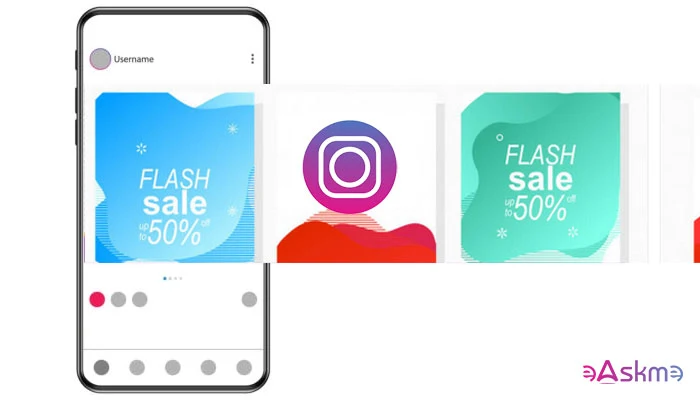
How to Create Engaging Instagram Carousel Posts?: eAskme

You can create Instagram Reels, Posts stories, share shopping experiences, etc.

But Instagram is nothing without images. So when you share photos on Instagram, you need to ensure that your posts gain engagement.

Thanks to Instagram Carousel Posts, you can create engaging content.

Instagram carousels are already proved as the best content strategy on the platform.

Here is everything you need to know.

What is Instagram Carousel Post?

Instagram carousels are like carousel ads that you see on Facebook. You can place upto 10 photos or images in the Instagram carousel.

The user will see the first photo for the first time, but he will see the next if he does not engage with the post.

Instagram Carousel posts help eCommerce websites and help blogs, social media sites, marketers, and every type of business to reach a wider audience and boost their online engagement.

Here are a few easy things that you must do to make your Instagram Carousels engaging.

Follow Basic Content and Copy Principles:

Instagram Carousel is a content strategy.

Share the idea of the articles and later club them into one carousel post.

Understand your target audience and talk directly to gain a real picture.

Your Instagram Carousel post will entertain each person differently yet make them connect with the same brand.

To get better results, always use high-quality images that capture the interest of your target audience.

Scroll Topper:

The first image should be a scroll topper.

The role of your first image is to make sure that visitors will click on that and rest the work your Carousel will handle.

You can use 10 high-quality target images. However, do not use too much-written content in images.

Compel the audience to Swipe Through Carousel:

Your Instagram Carousel should make the visitor scroll to the end of the content.

Th best way to make your Carousel conversational is by adding prompts and asking questions.

You can write something like “Swipe through for more!”

It will add curiosity to your visitors and make them reach the end of the carousel post.

Use visual signals to direct the visitor to the last image.

Uniqueness:

Make sure each slide is unique but connected to the main goal.

For example, you can use different images that display one step in each photo to launch a new blog.

You do not know which image the user will see for the first time. He may be looking at the third or even the last image of your Carousel.

Use standalone images to help the visitor understand the main topic of the Instagram carousel.

Bind them together:

You can use standalone images, but you also do not want to direct visitors to different directions with each image.

Each image must feel like a part of a web series.

You can do it by:

  • Using similar fonts and colors
  • Use presets, filters, and styles.
  • Feature-related products or services.
  • Use watermark or title.
  • Use a similar template.

This will help you improve branding on Instagram.

Do not overburn your Instagram Carousel Images:

When adding images to your Instagram Carousel, make sure that you should not put too much information in one image.

Each image should tell one part of the story, not the whole.

Do not populate your images with written words.

Accessibility:

When adding images, do not ignore the disabled users.

Use alt text and image description in images.

Conclusion:

Your Instagram carousel should make the user keep swiping till the last image.

People should share Instagram carousels, like them and comment on them.

The conversation is important.

And, you know how you can make it happen.

Still have any question, do share via comments.

Share this post with your friends and family.

Don't forget to join the eAskme newsletter to stay tuned with us.

Other handpicked guides for you;

Saturday, July 4, 2026

Top 10 Best Digital Marketing Trends of 2026

Digital Marketing Trends for 2026 are here.

AI is reshaping search engines and digital marketing. New changes will make and break many traditional digital marketing strategies.

You need a new digital marketing approach in the new year. This will help you overcome challenges and make crucial decisions in 2026.

Top 10 Best Digital Marketing Trends of 2026: eAskme

Other people are reading: Role of Data Science in Digital Marketing

Fundamentals of Digital Marketing:

Digital marketing is based on the power of content and marketing. Post-pandemic content became crucial for marketing strategies.

However, digital marketing strategies will become more effective than content strategies in the era of AI technologies like Gemini, CoPilot, and ChatGPT.

Now you need to:

  • Understand customer journey
  • Examine the buyer’s potential
  • Get rid of traditional, outdated strategies
  • Analyze distribution network
  • Change website design and content preferences to match KPIs.

Artificial Intelligence powered Digital Marketing:

Google has already displayed its interest in expanding Gemini and A/I Overviews. Empower your digital marketing strategies with AI.

Use the latest AI tools for customer segmentation, data collection, and filtering, creating personalized marketing campaigns, etc.

While using AI in marketing, make sure to humanize your marketing strategies.

Focus on AI digital marketing trends:

Automation:

Use AI for marketing automation. With AI, you can create personalized emails, A/B tests, and marketing optimization strategies.

AI Personalization:

Use AI to create personalized marketing strategies based on user data.

AI Content and Machine Learning:

AI content is flooding the internet. Humanizing content is necessary. Use AI to empower social media posts, blog posts, and content optimization. Use Gemini and ChatGPT. Machine learning is also empowering AI to do complex tasks.

Conversation and Voice Marketing:

Customers are using voice and image search to find solutions. Use AI tools to adopt conversational and voice search marketing strategies.

Customer Insight Analysis:

Use AI tools to analyze customer insights. Use data visualization tools to understand data stories.

VR and AR:

Virtual and Augmented reality also share customer habits. Metaverse marketing is not new anymore. Use AI to produce content and build marketing strategies to appeal to Virtual and Augmented Reality.

Customer Journey:

Use AI to map the customer journey. Focus on every step to influence consumer behavior. Work to boost ROI.

Ensure Data Privacy:

Use AI technology to protect user data. Maintain privacy when gathering customer insight and user information.

Social Media and eCommerce Integration:

AI tools can successfully integrate social media and eCommerce. Use both together to get the best results.

AI is the most prominent digital marketing trend in 2026. Maintain human touch.

Chatbots:

Chatbots allow webmasters and marketers to resolve use queries as soon as they arise. Chatbots use the predefined format to solve common issues. This saves a lot of time and marketing efforts.

Short Form Videos:

Short form videos are dominating the video sharing platforms like TikTok, Instagram, and YouTube. Facebook Reels and YouTube Shorts are the perfect examples of short videos. Marketers must use short videos like 15-second videos to spread brand awareness and build trust.

Analytics:

Learn to use digital analytics. Follow industry trends, analyze site reports, and check social media analytics performance to understand how your brand or business is performing.

Focus on Common issues:

  • Viewership
  • Placement
  • Brand visibility
  • Ads for Smart TVs
  • Ads on other channels
  • First party data
  • Use currencies

Use analytics to find the solution to these issues.

Digital Advertisement:

Use AI-powered yet humanized advertising strategies. These are the necessary parts of digital marketing strategies.

Coca-Cola’s AI-powered holiday ad campaign failed miserably because it missed the human touch.
Without humanizing digital marketing, you cannot influence human behavior.

SEO:

While SEOs complain that Google is taking over the homepage of search results, it is not a deniable fact that there is still hope. You have multiple marketing channels to grow your brand.

Use LinkedIn, YouTube, Pinterest, Instagram, and other channels to influence millions of users.

Learn to use digital analytics, digital marketing, and digital advertising.

Content Marketing:

Marketers are already using AI for content marketing.

Every marketer wants to save time and let AI do all the content creation work. However, AI-generated content can be misleading and biased.

The focus in 2026 should be on human-centric content for social media and ad campaigns. This content will be used in blog posts but creatively and critically.

Relying mindlessly on AI-generated content can do more harm than good.

Social Media Marketing:

Social media marketing is an asset. Learn to enhance the social media presence of your brand or business.

Focus on major social media platforms such as:

  • Facebook
  • YouTube
  • Instagram
  • X
  • TikTok
  • LinkedIn
  • Pinterest
  • Snapchat
  • Threads
  • TruthSocial
  • Bluesky

Digital PR:

Brands want PR, and digital PR is there.

Create digital marketing campaigns based on the social media platform and target audience. Use relevant content types to share on social media channels.

Influencer Marketing:

Influencer marketing is impactful when you choose the right influencer. In 2026, combine your digital marketing strategies with influencer marketing.

Use podcasts, interviews, and press releases to share information about your business, products, or services.

Omnichannel Marketing:

Omnichannel marketing is necessary to grow your impact. To stay visible to your target audience, be active on every major social media platform.

The more your brand comes in front of target customer, the more likely they will choose you for their next purchase. Hire SEO, Ads, and analytics experts to create better omnichannel strategies in 2026.

Conclusion/Final Words:

Marketing with AI and Human touch will be the most impactful digital marketing trend in 2026.

Every business is adopting AI tools and technologies, and social media marketing, influencer marketing, and omnichannel marketing are a must for every business.

Be ready for 2026 as significant changes to SEO and marketing are coming.

Other helpful resources:

Friday, July 3, 2026

Instagram Broadcast Channels Guide! Don't miss it!

Instagram has updated Broadcast Channels with new features. It is one of the most popular features for content creators to engage with their audience.

Users are sending 1.5 billion messages on Instagram Broadcast Channels.

In the beginning, followers were only allowed to like or react to the messages.

With a new update, Instagram has launched replies, prompts, and insights features in Broadcast Channels. New features will help creators to understand the content performance and engage better with the audience.

Today, I am explaining everything about the Instagram Broadcast Channels and their features.

Instagram Broadcast Channels: eAskme

Instagram Broadcast Channels:

Instagram introduced “Broadcast Channels” in February 2023. Its original purpose was to send the creator's messages to all followers.

It is a one-to-many messaging tool for content creators. Only the creator was allowed to send messages.

Followers were reacting to the messages.

How to Create an Instagram Broadcast Channel?

  • Go to Instagram and login.
  • Go to “Instagram DMs.”
  • Click on the “pen and pad” emoji.
  • Click on “Create Broadcast Channel.”
  • Type the name of your broadcast channel.
  • Choose the audience for your channel.
  • Click on “Create Broadcast Channel.”

Now, you have successfully created your broadcast channel.

What are the Benefits of Broadcast Channels?

Broadcast channels are popular among creators. It has the following benefits.

Direct Engagement:

Broadcast Channels are a direct way to engage with your Instagram followers. You can send updates about the upcoming Instagram event or special deals.

Announcements:

Broadcast channels are best at making announcements. If you are launching a new product or reviewing a viral video or service in the coming days, then make the announcement on Instagram.

You can announce the day and the thing you will do. You can travel to a new place, surprise a follower, or even reach a landmark.

Your broadcast channel will send a direct message to your followers about the announcement.

Collect Feedback:

You want to grow your Instagram account, then start collecting feedback.

  • Create polls and ask your followers to vote.
  • Ask followers about what is most appealing to them on your channel.
  • What type of content do they like the most?
  • Which places do they want you to visit?

Collaboration:

You can collaborate with other influencers and ask them to join your broadcast channel. It is an easy way to share access to your audience without leaving your control.

Collaborators can send messages to your audience.

Build Community:

Broadcast channels are a great way to build community. You can send messages and get replies. The new Broadcast Channels feature allows followers to send replies and use prompts.

This way, it is becoming a place for community where you directly engage with your audience.

It is also important for a marketer to engage with the audience to understand them better.

How to Increase Engagement in Your Broadcast Channel?

Make some noise:

Do not limit your broadcast channel to text messages only. Use voice notes. Followers prefer voice over text. This will add a trust factor to your broadcast channel.

Create Multiple Channels:

Create different broadcast channels for different topics. For example, do not post health topics in SEO-related broadcast channels.

Make it niche relevant.

Share Multiple Content Formats:

Social media is the place where multiple content formats perform better than a single format. Share photos, polls, links, resources, etc.

Give more reasons to your audience to engage with your messages.

Announce product launch or event:

Announce the upcoming product launch or event. For example, if you are going to an auto show, make the announcement. Your followers will love to connect when you go live on Instagram during the event.

How to Invite Others to Join Your Instagram Broadcast Channel?

  1. Share the invite link to your broadcast channel.
  2. Add your channel to an Instagram story and let users join.
  3. Share the broadcast channel QR code.

These are the 3 easiest ways to let others join your broadcast channel on Instagram.

What are the new features on broadcast channels?

Instagram launched 3 new features:

  1. Replies
  2. Prompts
  3. Insights and Best Practices

Replies:

Replies play a crucial role as they make followers able to send replies. Before this feature, followers were not able to send text messages on the broadcast channel.

You can turn on or turn off the replies.

Prompts:

Prompts are the easiest way to start a conversation. Use suggested prompts and see how your followers react to it.

Your prompt response is displayed on your main channel.

Insights and Best Practices:

Insights help you find out the channel and content performance over the last 30 days. You can check the number of interactions made.

Now, you can set channel goals like:

  • Increase Engagement
  • Drive Participation
  • Maximize Growth

Based on these goals, it will suggest recommended actions.

Conclusion:

Instagram broadcast channels are there to help you boost engagement with your followers.

With new features, followers can now reply to your messages.

Check insights to learn the content performance. Use this data to optimize your Instagram growth strategies.

Instagram Broadcast Channels FAQs:

Who is eligible for an Instagram broadcast channel?

A creator with 10,000 followers can start a broadcast channel.

Can I see who joined my broadcast channel on Instagram?

Yes. At the bottom of your broadcast channel, you can see the list of people who have joined your channel.

Other Helpful Resources: